Run 3 Unblocked — Play Free Online
More Runners games








Run 3 unblocked: play Run 3 online free right here in your browser — no download, no sign-up, works on a school Chromebook.
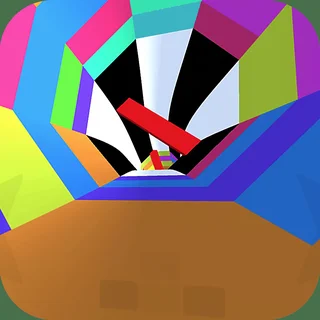
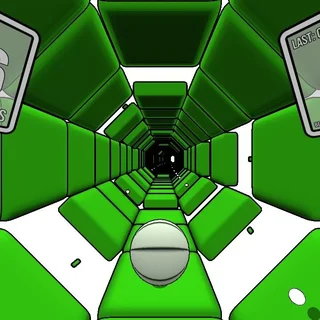
Run 3 places you inside a series of interconnected polygonal tunnels floating through deep space. Unlike conventional platformers where gravity pulls downward in a fixed direction, stepping onto any sidewall or ceiling shifts the tunnel around you, instantly turning that surface into the new floor. This dynamic mechanic turns every corridor into a full 360-degree puzzle where you must constantly read upcoming gaps and decide which wall offers the safest path.
For players accustomed to the precision timing and rapid trial-and-error loops of Moto X3M, the rhythm of Run 3 will feel immediately familiar. Every run moves quickly, and failing a jump sends your runner tumbling into the vacuum of space, restarting the stage without delay. The satisfaction comes from spotting a clean trajectory through a maze of crumbling tiles, leaping across corners, and keeping your momentum alive.
How to play
Use the Left and Right arrow keys (or A and D) to steer your runner across the tunnel floor. Moving toward a wall causes the entire tunnel to rotate, reorienting gravity to that surface. Press the Up arrow key, W, or the Spacebar to jump over gaps. The height and distance of your leap depend on how long you hold the jump key, allowing for both tiny hops over single missing tiles and long leaps across wider chasms.
The campaign is split into Explore Mode and Infinite Mode. In Explore Mode, you progress through an expansive map of branching tunnels, unlocking new paths and alien characters with distinct abilities such as higher jumps or slower drift. Infinite Mode challenges you to run as far as possible through randomly generated tunnel sequences while collecting power cells.
Tips for navigating tunnels
- Rotate early: When you see a large stretch of missing floor ahead, shift onto a side wall several tiles before the gap rather than making a panic jump at the edge.
- Watch tile colors: Standard grey tiles are stable, but darker crumbling tiles will detach and fall into space shortly after you step on them. Cross them with continuous movement without hesitating.
- Control your jump height: Lightly tapping the jump key lets you clear small holes without overshooting into hazardous ceiling gaps or awkward landings.
- Scan the whole tube: Look beyond your immediate footing to spot upcoming dead ends or split tunnels, giving you time to rotate onto the most continuous route.
Similar games on Moto X3M
If you enjoy the fast reflexes and spatial awareness required here, several other titles on the site offer a similar challenge. Tunnel Rush provides another intense high-speed dash through twisting 3D tubes, focusing purely on dodging incoming obstacles. For players who love tight platforming controls and speedrunning physics, OvO tests your parkour agility through bite-sized obstacle courses. If you prefer vehicle-based physics and mastering tricky checkpoint runs, the original Moto X3M remains the ultimate test of timing and balance.
Questions about Run 3
Is Run 3 unblocked at school?
Run 3 runs in an ordinary browser tab from motox3m.us.com, with nothing to download or install, so it plays on most school Chromebooks and work computers. If a network filter blocks the site, only that network's administrator can change it.
How do you rotate walls and jump in Run 3?
Steer left or right with the arrow keys or A and D to run onto a side wall, which rotates gravity to that surface. Use Up, W, or Spacebar to jump over gaps.
What is the difference between Explore Mode and Infinite Mode?
Explore Mode lets you advance through a galaxy map with branching levels and unlockable alien runners, while Infinite Mode tests how far you can survive in endless tunnels.
Do you need to download anything to play Run 3?
No installation is required. Run 3 loads directly inside your web browser on desktop, Chromebook, or mobile devices.