OvO Unblocked — Play Free Online
More Runners games








OvO unblocked: play OvO online free right here in your browser — no download, no sign-up, works on a school Chromebook.
OvO is a lightning-fast parkour platformer where every level is a compact obstacle course designed for precision and momentum. Controlling a nimble stick figure, your goal is simple: sprint, vault, slide, and smash your way through deadly spikes and moving hazards to reach the checkered flag in record time.
What makes the game so compelling is how fluid movement feels once you understand the physics. Unlike traditional platformers where running speed is fixed, OvO rewards players who chain slides, dives, and wall kicks together to preserve velocity. For players visiting Moto X3M who love time trials, split-second reflexes, and chasing flawless runs, OvO delivers that exact same loop of rapid attempts and satisfying breakthroughs.
How to play
You control the runner using standard keyboard inputs:
- Move Left / Right: Use the Left and Right Arrow keys or A and D to build up running speed.
- Jump: Press the Up Arrow, W, or Spacebar to leap over obstacles or vault across gaps.
- Slide: Press the Down Arrow or S while running on the ground to slide beneath low ceilings and narrow passages.
- Dive / Ground Pound: Press the Down Arrow or S while mid-air to drop straight down with heavy downward force.
- Wall Jump: Slide down a vertical wall and tap jump to kick off and gain height.
Each level tracks your completion time, and touching any red hazard or falling into a void instantly restarts the stage with zero delay. Optional coins are placed throughout levels, often requiring riskier routes and tighter execution to collect.
Techniques for faster times
Mastering the movement mechanics is essential if you want to shave seconds off your course times:
- Slide Jumping: Triggering a jump immediately while sliding gives you a long, low-trajectory leap that carries forward momentum faster than regular running.
- Dive Bouncing: When you perform an aerial dive onto flat ground and press jump right as you make contact, your character bounces high into the air with boosted velocity.
- Wall Kicking: Rather than slowly climbing a wall with repeated basic jumps, alternate between opposite walls in narrow shafts to maintain upward speed.
- Momentum Preservation: Avoid bumping into flat vertical obstacles or jumping unnecessarily when running on level surfaces, as both actions bleed speed.
Similar games on Moto X3M
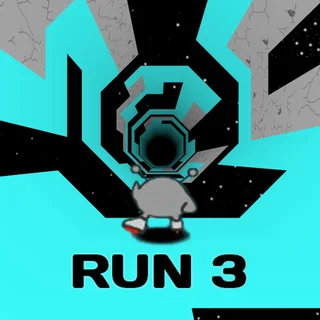
If you enjoy the precision movement and fast retry cycle of OvO, several companion titles on Moto X3M offer similar challenges. Run 3 provides thrilling three-dimensional tunnel navigation with shifting gravity and tight jumps. World's Hardest Game tests your patience and spatial timing through relentless obstacle grids, while Tunnel Rush pushes your reaction speed to the limit as you dodge incoming barriers at blinding velocity.
OvO runs directly in your browser with no installation or account creation needed, making it easy to drop in for a quick two-minute session or grind through full stage packs.
Questions about OvO
Is OvO unblocked at school?
OvO runs in an ordinary browser tab from motox3m.us.com, with nothing to download or install, so it plays on most school Chromebooks and work computers. If a network filter blocks the site, only that network's administrator can change it.
What are the core controls for OvO?
Use the Left and Right Arrow keys or A and D to run. Press Up, W, or Space to jump, and press Down or S while moving to slide under obstacles or while airborne to dive.
How do you jump higher or farther in OvO?
You can gain extra height and distance by chaining moves together: jump immediately out of a ground slide or press jump right as you land from an airborne dive to bounce upward.
Does OvO save your level progress?
Yes, your completed levels, coin pickups, and best speedrun times are saved locally in your browser cache so you can resume your run anytime on the same device.
Can you play OvO on a Chromebook or laptop?
Yes, OvO runs directly in any modern web browser without downloads or plugins, and works best with a physical keyboard for precise directional inputs.